Mastering Game Server Administration with Pterodactyl
All Botnix Cloud game servers are powered by Pterodactyl, the premier open-source game server management panel. Designed for performance, isolation (Docker-based containers), and intuitive control, Pterodactyl puts enterprise-grade management tools at your fingertips.
Whether you run Minecraft, CS2, Palworld, or Rust, this handbook covers the essential features every server owner must know.
1. Navigating the Dashboard & Live Console
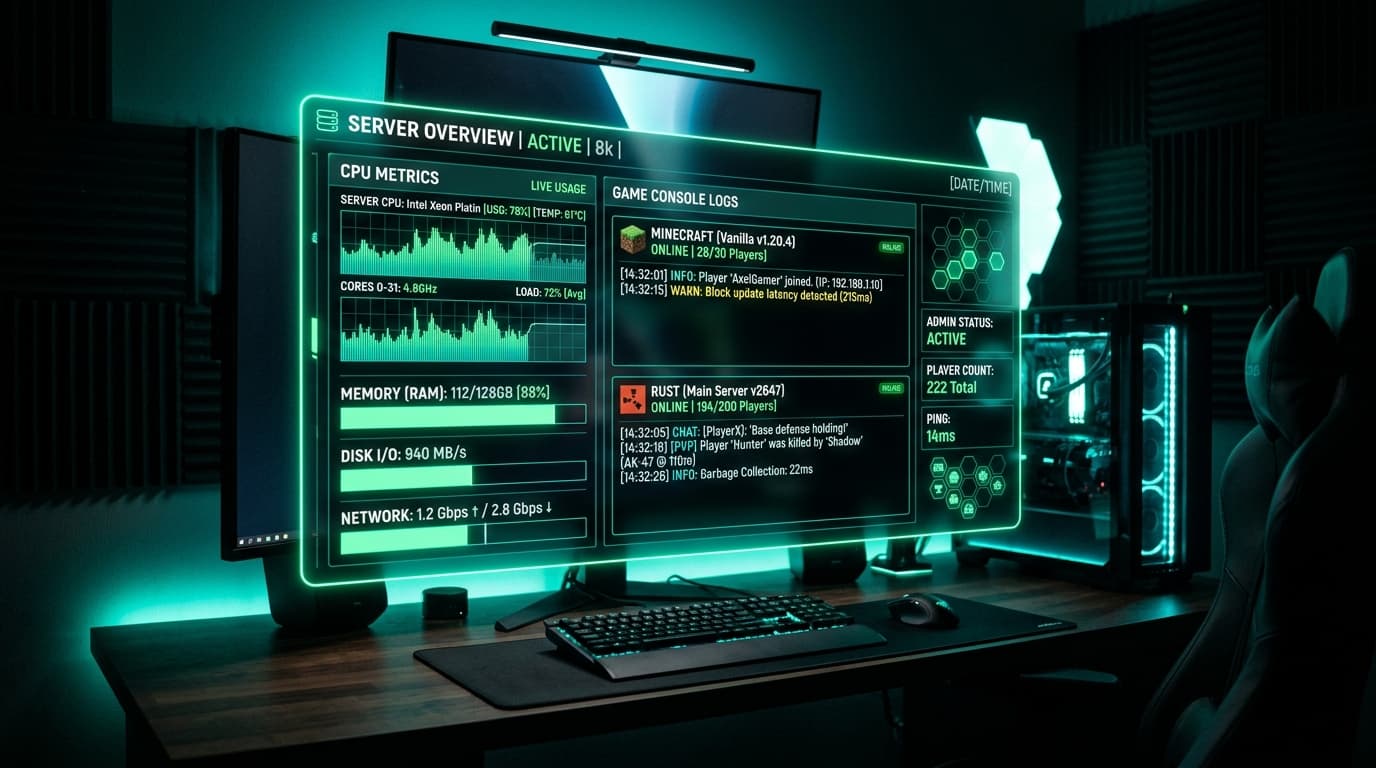
When you log into panel.botnix.in, your server dashboard displays real-time resource telemetry:
- CPU Utilization: Live clock and thread usage.
- Memory (RAM): Current consumption vs your plan's allocated ceiling.
- Disk I/O: Real-time read and write metrics on NVMe Gen4 storage.
- Interactive Web Terminal: Run console commands (e.g.
op username,kick,whitelist,save-all) with instant feedback.
2. Fast File Management via SFTP & Web UI
Uploading custom world saves, plugins, configuration files, and modpacks can be done in two ways:
Option A: Web File Manager
- Create, edit, and rename files directly inside the browser.
- Built-in syntax highlighting for
.yml,.json,.properties, and.cfgfiles. - Upload archive files (
.zip,.tar.gz) and extract them with 1 click.
Option B: Secure SFTP (Recommended for Large Files)
For giant map downloads or multi-gigabyte modpacks:
- Navigate to Settings in your server panel.
- Note your SFTP Address (e.g.,
sftp://panel.botnix.in:2022) and Username. - Open an SFTP client like FileZilla or WinSCP.
- Connect using your panel credentials and drag-and-drop gigabytes of assets with resume support.
3. Automated Backups: Protect Your World
World corruption and rogue players are a server admin's worst nightmare. Botnix Cloud includes automated backup capabilities:
- Navigate to the Backups tab.
- Click Create Backup. Name it (e.g., "Pre-Update Snapshot").
- You can toggle Locked to ensure this backup is never automatically overwritten by maintenance schedules.
- If an issue arises, restore your entire world with 1 click in under 60 seconds.
4. Schedules & Automated Cron Tasks
Never worry about forgetting manual restarts or clearing entity lag. Under the Schedules tab:
- Daily 4 AM Restart: Set a cron expression (
0 4 *) with a task to broadcast a warning message, save world data (save-all), and executeRestart Server. - Automated Hourly Backups: Keep multiple rollback points throughout peak gaming hours.
5. Instant MySQL Databases Included
Many advanced game plugins (e.g., LuckPerms, CoreProtect, LiteBans, ShopGUI+) perform far faster using an external SQL database rather than local SQLite or flat files.
- In your server panel, go to Databases > New Database.
- Your database is created instantly on Botnix Cloud's low-latency MariaDB/MySQL cluster with zero setup hassle.
- Paste the connection host, user, and password into your plugin configuration.
6. Managing Multi-Region Servers (India & Canada)
Running servers in both our Mumbai and Canada datacenters? You manage all your instances from a single unified Botnix Pterodactyl account!
- Switch between your Indian lobby and your Canadian survival node with one click.
- Share sub-users and grant granular administrative permissions to your moderators and builders without sharing your root password.
Explore our full range of Game Hosting Plans to deploy your custom Pterodactyl-powered server today!
Deploy your server in under 3 minutes
KVM VPS from ₹400/mo. Mumbai datacenter, NVMe storage, DDoS protection, and 24/7 support from real engineers.
Deploy Now — Free Setup